How-to
Janitorial inspection software buyer's guide
What janitorial inspection software should do, the questions to ask in a trial, how to test it on a real walk-through and which warning signs to heed.
November 12, 2026 · 4 min read
Janitorial inspection software replaces the clipboard with a phone form, so a supervisor can score a building, attach photos and send the result to the client without retyping anything. The good ones also track every failed item until someone fixes it and you confirm it.
That last part separates a tool you keep from one you drop in month two. Here is what to look for, what to ask in a trial, and what to test before you pay.
What should janitorial inspection software do?
Start with the work, not the feature list. On an ordinary walk-through, a supervisor needs to do five things:
- Open the right form for the building.
- Answer quickly with a tap, a rating, a number or a photo.
- Finish the inspection with a score.
- Send a report the client will actually read.
- Make sure what failed gets fixed.
If any of those takes more than a few taps, supervisors will go back to paper. Everything else is extra.
Can you build your own forms?
Ask this first. Your buildings differ. A medical office, a school and a warehouse office need different questions. Check that you can create and edit forms yourself, without paying the vendor to do it, and that a form can mix pass/fail, ratings, numbers, text and photos.
Also check whether a form can require a photo or a comment on a fail. Without that rule, supervisors skip the evidence under time pressure. For design advice, see how to build janitorial inspection forms.
What to test on a real walk-through
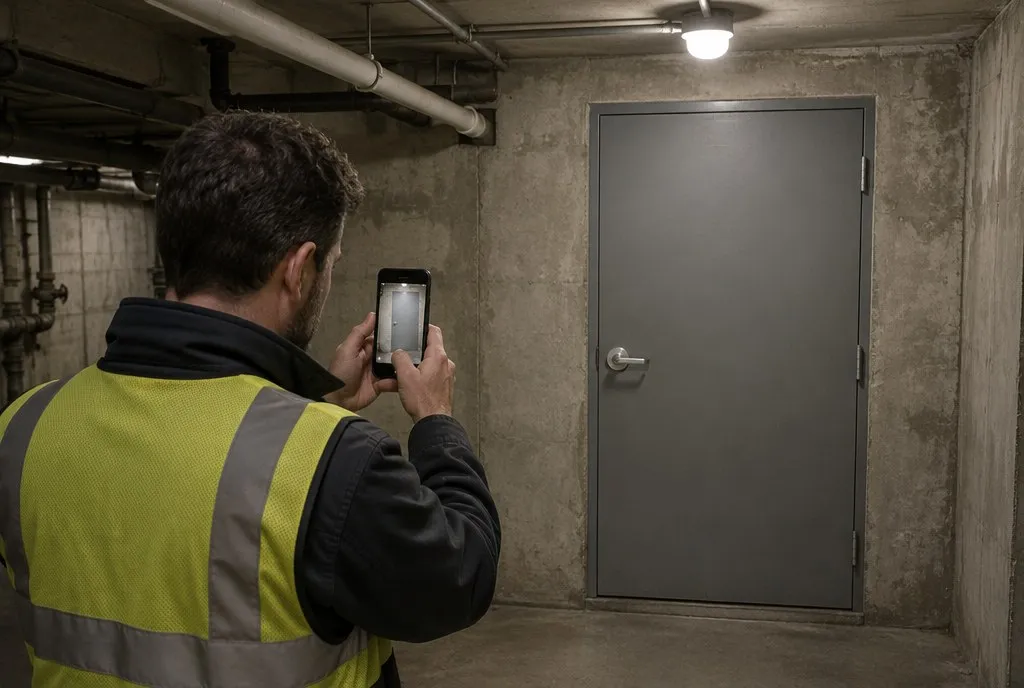
Do not judge a trial from the desk. Take the app into one of your own buildings and try these.
- Offline in a basement. Switch off data or walk into a stairwell with no signal. Can you finish the inspection, and does it sync when signal returns? Check that nothing was lost.
- Photo upload. Take five photos in a row. Is it fast? Do they attach to the right line?
- The report. Send yourself the client report. Is it a clean PDF with the score, the fails and the photos? Would a property manager read it, or would you have to rewrite it?
- Follow-up until verified. Fail a line. Can you assign it to a person with a due date? Can they send a proof photo? Can you compare the photos and either close it or send it back?
- Outside people. Can a subcontractor or a site contact send a photo without creating an account?
Does it follow up on fails?
Plenty of tools stop at the report. A report tells the client what was wrong. It does not make the problem go away.
Look for a follow-up that belongs to someone, has a due date and ends only when a supervisor looks at the photo and signs it off. You also want an overview that shows what is overdue across every site, so you find out on Monday, not when the client phones.
Questions to ask in a trial
- Can I build and change forms myself, and is that included in the price?
- Does it work fully offline, including photos?
- What does the client receive, and can I send it to several people?
- Who can see which sites? Can I limit a supervisor to their buildings?
- How do I get my data out if I leave?
- Is it available in the languages my crew speaks?
- What happens at the end of the trial, and do I need a credit card to start?
Languages matter more than buyers expect. If half your crew reads Spanish, Punjabi or Hindi, a form in English only will be used badly or not at all.
What are the warning signs?
- A demo that only runs on the sales rep's phone. Insist on using your own device.
- Forms you cannot edit. If the vendor builds them for you, every change costs time.
- Per-inspection fees. They punish you for doing the job properly. Always ask for the full cost and compare it with your real inspection volume.
- No offline mode. Basements, parkades and stairwells are where fails hide.
- Reports that look like a data dump. Clients judge you by the PDF.
- A long setup before the first inspection. You should be able to run a real inspection within a day.
- Features that have nothing to do with inspections. Time clocks, payroll and bundled modules rarely help the supervisor in the field.
What about commercial cleaning apps in general?
You will see "janitorial inspection app" and "commercial cleaning apps" used loosely. Some are inspection tools. Others are scheduling or invoicing tools with a checklist added on. Decide which problem you are solving. If it is quality control, pick a tool built for inspections and follow-up. See cleaning business software for the wider picture.
One option to try
Inceplio is an inspection and follow-up app for commercial cleaning companies. You build your own forms, inspect on a phone offline, send a scored PDF report and track failed items until a supervisor verifies the fix. It has a 30-day free trial with no card needed and a public demo. See Inceplio and pricing.
Common questions
Is a spreadsheet enough?
For one building and one supervisor, perhaps. It gets hard once you have photos, several sites and clients asking for proof.
How long should a trial take?
Run at least one real inspection in each type of building you clean, then send the report to a client contact you trust.
Who should run the trial?
Your busiest supervisor. If they like it, the rest of the team will follow.