How-to
Cleaning checklist app: moving off paper
What changes and what stays the same when you replace paper cleaning checklists with an app, plus a two-week rollout for one building.
November 12, 2026 · 5 min read
A cleaning checklist app replaces the clipboard on the washroom door with a form on a phone. Each item is ticked, time-stamped and can carry a photo, and the result goes to the client as a report instead of sitting in a binder.
It does not replace anyone walking the building. Someone still has to look at the grout, the dispensers and the entrance mats. The app changes what happens with what they see.
What actually changes when you leave paper
- Time stamps are automatic. A paper log shows a signature and a time someone wrote down, sometimes at the end of the shift. An app records when each item was completed.
- Photos attach to the item. A photo of a stained carpet or a blocked floor drain sits next to the line it belongs to, not in a text thread.
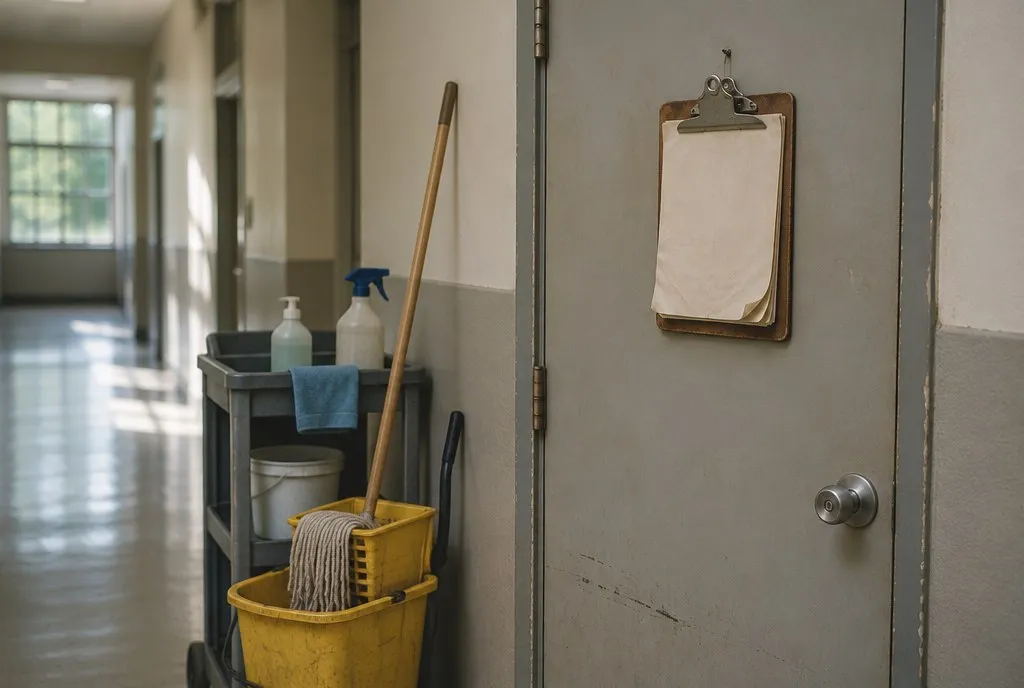
- Nothing is lost in a truck. Clipboards get coffee on them, blow off dashboards and end up in a bin. A submitted inspection is stored.
- The client sees a report. Instead of "we checked it, trust us", you send a PDF the same day.
- Misses turn into jobs. On paper, a failed item is a note that someone may or may not read. In an app it can become a task with a name and a due date.
What does not change
- The checklist is only as good as the scope of work behind it. If your list says "clean washroom" and the contract says something else, the app will faithfully record the wrong thing.
- Supervisors still need to be in the building at different times, including after the night crew has finished.
- A tick still means "I looked". It does not mean the area is clean. Judgement stays with a person.
Paper cleaning checklist, spreadsheet or digital?
A paper cleaning checklist is cheap and everyone understands it. It breaks down once you have more than a handful of buildings, because nobody can see all of them at once. Someone ends up typing paper results into a spreadsheet on Friday afternoon.
A spreadsheet fixes the overview but not the collection. You still need a way to get data from the building into the sheet, and photos never fit well.
A digital cleaning checklist solves collection and overview together. If you are building the list itself, start with a commercial cleaning checklist template and adapt it to the contract for that site.
What to look for in a cleaning checklist app
Ask these before you pick anything:
- Can you build your own forms, or are you stuck with a fixed list?
- Does it work in a basement or parking garage with no signal?
- Can a failed item be assigned to someone with a due date?
- Does it produce a report you would be happy to email to a property manager?
- Can a subcontractor send proof of a fix without creating an account?
Commercial cleaning apps vary a lot in what they cover, so ask for a trial and run one real inspection before you commit. The inspection software guide lists more questions worth asking.
A two-week rollout for one building
Pick one building, preferably one with a supervisor who is open to it and a client who would value a report.
Week 1: set up and practise
- Day 1: take the existing paper checklist and cut it to what the contract actually requires. Remove items nobody checks.
- Day 2: build the form. Mark which items need a photo or a comment when they fail.
- Day 3: the supervisor does a practice inspection while the night crew is working, on top of the usual paper one.
- Days 4 and 5: fix the form. Items that were confusing on a phone get reworded or split.
Week 2: run it for real
- Days 6 to 8: run the app and the paper checklist side by side. Compare them at the end of each day.
- Day 9: send the first report to the client contact. Tell them it is new and ask what they would like to see in it.
- Day 10: retire the paper checklist for this building. Write down what went wrong and what saved time.
Do not add a second building until the first has run clean for a few weeks.
How do you get supervisors who dislike phones on board?
Most resistance is practical, not stubbornness. Supervisors have been handed tools that were slow, needed signal, or turned their evening into data entry.
- Show them the time saved. If the app means no typing on Friday afternoon, say so.
- Let them help build the form. A supervisor who cut three useless items from the list will defend the list.
- Keep the first form short. Twelve items done well beat sixty ignored.
- Make sure it works offline. A supervisor standing in a stairwell with no signal will go back to paper the same day.
- Do not use the data against them in the first month. If the first scores are used as a stick, scores stop being honest.
- Give them a paper fallback for the first two weeks, then take it away.
Which app should you use?
Any that passes the five questions above. Inceplio is one option: supervisors run inspections on a phone from forms you build, it works offline, and each inspection gets a score and a PDF report you can email to the client. It has a 30-day free trial with no card, and you can see pricing here.
Common questions
Do cleaners need to use the app too?
Not necessarily. Many companies give the app only to supervisors and managers, and leave cleaners on a simple task list or sign-off sheet. Decide who needs to record what before you roll it out.
What happens when there is no signal?
A good app lets you finish the inspection offline and sends it later. Test this in the worst spot in your building before you buy.
Can I keep paper as a backup?
For the first two weeks, yes. After that, keeping both usually means neither gets done properly.
Will clients actually read the report?
Some will, some will not. The value is that it exists when they ask. For what to put in it, see the quality control plan guide.